TypeScript cardiovascular simulator

Over the summer holiday I’ve been working on a project to try and simulate some of the processes that occur in the cardiovascular system. I wanted to do this because I enjoyed our first year physiology course and wanted to put some of the concepts we’ve learnt into action in a simulator, and also because I wanted an opportunity to gain more experience with TypeScript.

The output of the model simulating a patient with severe aortic regurgitation

The program produces a rough simulation of the velocity of blood flow through the aortic valve and the resulting pressure in the aorta over time. The user can give the patient diseases that modify the properties of the model to see how the flow and pressure is affected. However, the model doesn’t simulate any time-dependent processes such as autotransfusion, only the initial steady state. It also doesn’t model any blood chemistry, and it only encompasses the systemic side of the circulation (the aorta to the right atrium). I chose to use human data because this is the species for which I could find the most information.

You can try it out in the browser here, and the source code is on GitHub here.

The Windkessel model

The core of the simulator is the Windkessel model. This models the circulation as an electric circuit, where current represents flow and voltage represents pressure. I used the three-element Windkessel, so called because it has three electronic components: a resistor to represent the proximal resistance of the aorta, a capacitor to represent the compliance of the proximal arteries, and a second resistor to represent the peripheral resistance of the rest of the systemic circulation. These three components are connected as shown below.

Based upon Ohm’s law and the behaviour of capacitors (with charge representing the volume in the artery) it is possible to derive a differential equation linking the time derivative of voltage (pressure) to the current (flow) entering the circuit, or it is also possible by considering Darcy’s law of flow and the definition of compliance, which I have done below.

On the line marked [*] it is assumed that the venous side of the circulation is at a pressure of zero, which is unlikely to be true. However, the pressure should generally be sufficiently low for this assumption to be valid.

The differential equation derived can then be combined with a waveform describing the flow out of the aortic valve over time, values for Ra, Rp and C and boundary conditions (initial values for t and p) and solved numerically to generate a waveform of aortic pressure. I solve it over a time period of ten seconds then take the final beat of data, as I found that by this point it reliably reaches a steady state.

For the flow waveform I initially used the function below which I found here, which uses a single sine wave to model both the systolic flow and the dicrotic notch.

I found that the discontinuities where the value changes suddenly created strange jumps in the pressure waveform that didn’t match the experimental data I could find very well. I created the below similar but continuous waveform using two sine waves that seems to better match experimental data.

The details of the waveform such as the length of systole and of the dicrotic notch are controlled by parameters.

For Ra, Rp and C I used base values derived from Wikipedia.

Implementation

The behaviour of the model is controlled by a collection of parameters, encompassing both the Windkessel values Rp, Ra and C and also values modifying the flow waveform such as the length of systole, the maximum achievable stroke volume, heart rate and so on. They are stored as Parameter objects in a CirculatoryParameters object and passed on to Heart, which creates the flow waveform, and Vasculature, which evaluates the resulting pressure waveform.

The values of the parameters are all calculated by starting with a base value and applying factors, of which there are three types: exercise, baroreflex, and disease. The exercise factor represents changes to the parameter due to exercise. For example, the peripheral resistance Rp decreases due to vasodilation of arteries supplying muscles. Meanwhile, the baroreflex factor represents changes initiated by the baroreflex, such as an increase in heart rate when mean arterial pressure drops below 93 mmHg. Finally, disease factors (of which there may be multiple for a single parameter) represent changes due to diseases the user has given the patient, such as a decrease in arterial compliance C due to atherosclerosis. The Parameter class and its child SummarisableParameter are responsible for storing the base value and factors and calculating the resulting value for a single parameter.

The base values and magnitudes of factors affecting the parameters were largely obtained from my course notes and the internet combined with some reasonable-seeming guesses – I believe they are sensible, but of course are unlikely to exactly correspond to any real human patient.

Disease factors are determined by Disease objects, which store the user-set severity of a disease and calculate the resulting disease factors (with the factors increasing/decreasing linearly with severity). Diseases can actually produce ‘additors’ as well as factors, which are values that are added together before being multiplied with the base value. This was necessary to enable changes caused by opposing diseases such as hypovolaemia and hypervolaemia to cancel out. Classes representing specific diseases such as Atherosclerosis and HeartFailure inherit from the base Disease class. An instance of every Disease subclass is stored within the static DiseaseStore class, which provides methods for PatientGui to retrieve string names of diseases, and to set their severities based upon these names.

The other type of value being passed around by the model are outputs. These are represented by the Output class and stored in the CirculatoryOutputs class. These values are calculated based upon the flow and pressure waveforms generated. For example cardiac output, stroke volume, mean arterial pressure and pulse pressure are outputs.

Heart, Vasculature, CirculatoryParameters and CirculatoryOutputs instances are all aggregated by a CirculatorySystem class, which passes the necessary data between them. CirculatorySystem also carries out the baroreflex by incrementally adjusting baroreflex factors until the mean blood pressure is equal to the baroreflex set point parameter, if this is possible. An instance of CirculatorySystem is stored in Patient, along with an array of references to active Disease objects.

Parameters and outputs are communicated to the PatientGui object responsible for displaying them via ParameterSummary and OutputSummary objects that contain data such as the value, units and descriptions, and for parameters the base value, factors affecting them and explanations behind those factors. Communicating through these objects avoids creating dependencies between the GUI code and simulation code, and also simplifies communication since everything about a certain parameter/output is contained within one object. When the user wishes to set a value PatientGui communicates with the rest of the system through callback functions, again to avoid dependencies.

The static ClinicalSigns class examines the values of parameters and outputs to determine some symptoms the patient is likely to be experiencing, as an array of strings. For example, if mean arterial pressure cannot be maintained above 90 mmHg at high exercise intensity the patient is likely to have exercise intolerance, or if cardiac output at rest is below 4 L the patient is likely to have some cyanosis.

A class diagram of the program can be seen below.

Simulating heart failure

Normally, cardiac output is limited by the mean systemic filling pressure – this determines how much blood can be pumped out of the venous system before the pressure drops below zero and vessels start to collapse. The heart will always pump all venous return, with the Starling mechanism ensuring this by increasing stroke volume and contractility as preload (right atrial pressure) increases.

However, in heart failure cardiac output is instead limited by the heart itself. This is because the Starling curve is depressed, with a lower peak (as shown below). There are two types of heart failure that both cause this change. In heart failure with reduced ejection fraction the fraction of blood pumped out of the ventricle with each beat is decreased. This is due to dysfunction during systole leading to reduced contractility (force) and thus decreased emptying. It can be seen in diseases such as dilated cardiomyopathy and due to infarction caused by coronary artery disease.

The other type is heart failure with preserved ejection fraction, where the fraction of ventricular volume pumped out with each beat is unchanged. Here the issue is instead diastolic disfunction, which causes impaired filling of the heart such that there is a smaller volume of blood in the ventricle at the start of systole. This type of heart failure can be seen in diseases such as hypertrophic cardiomyopathy, mitral stenosis or atrial fibrillation.

What all these diseases have in common is that they all result in a decreased maximum stroke volume – this is thus how the model simulates heart failure. Normally the model determines stroke volume by calculating the total venous return (using VR = (MSFP - RAP)/RVR where MSFP is mean systemic filling pressure, RAP is right atrial pressure and RVR is resistance to venous return, and RAP is assumed to be approximately zero) and dividing this by the heart rate – this simulates the Starling model adjusting stroke volume to match venous return. However, when heart failure is active, the stroke volume is capped at a maximum value that decreases with disease severity. To ensure Darcy’s Law is still obeyed, a new elevated right atrial pressure is calculated so that the new cardiac output matches venous return.

This shows the output of the model when fairly severe heart failure is applied. The stored waveforms for a healthy patient are shown in red behind the green heart failure waveforms. A fall in mean arterial pressure at high exercise intensity results in exercise intolerance. The model also predicts an increase in heart rate (tachycardia) as the baroreflex attempts to maintain mean arterial pressure despite the lower stroke volume. Interestingly, apparently this is found in some but not all patients. I wonder if perhaps the baroreceptors in some patients adjust to a lower set point over time, but I was unable to find an explanation online.

I’ve enjoyed working on this project and it’s helped improve by understanding of cardiovascular physiology. In future I’d like to add more diseases and clinical signs, and also let the user prescribe medications such as beta blockers and observe their effects.

Computational Biology internship

Over the summer I’ve been on a nine week internship at the Sainsbury Laboratory, a plant science research institute affiliated with Cambridge University. I was working in the Vroomans group, which studies the evolution of plant development processes using genetic algorithms.

The group uses a C++ model that simulates a population of tissues over generations. In each generation, the cells of each tissue are given time to express proteins based upon their genomes and for these proteins to diffuse between cells and interact with transcription factors, promoting or inhibiting the expression of other proteins. The tissues are then given a fitness score based upon how closely the pattern of a specific identity protein matches a target pattern. The best tissues are then selected, with higher fitness giving a higher probability of selection, before they are mutated to form the next generation. This is run for thousands of generations in the university’s high performance computing (HPC) cluster, each run taking several hours.

The section from my end-of-project poster explaining the model

Under the supervision of PhD student Pjotr van der Jagt, my project was to add dimerization reactions (where two proteins can associate and dissociate according to an equilibrium) to the group’s model and study how they affected the pattern-forming mechanisms that evolved.

Initially I was nervous because I’d only worked with C++ in a microcontroller context and had never worked with a HPC system at all. However, I quickly got used to writing and compiling for a more powerful system, and Pjotr taught me the intricacies of the HPC cluster.

I implemented the ability to add an unlimited number of pre-defined dimerization reactions between specific protein(s) to form new dimeric proteins. The equilibrium constants of the reactions are mutated between generations to enable them to evolve.

The main finding of the project was that the addition of dimerization reactions didn’t significantly affect fitness progression or genome characteristics. Despite this they were used by agents a high proportion of the time across different runs, often acting as transcription factors inhibiting the expression of their monomers to form negative feedback loops.

Since dimerization reactions are used ubiquitously in plant development processes, we theorised that they may offer a benefit not modelled by the system, such as buffering transcriptional noise, or may rely on other systems not modelled such as post-transcriptional regulation to reach their full potential.

Since runs on the HPC took so long I also had time to implement other features which weren’t used for the project, such as autodimerization reactions, miRNA molecules that degrade the mRNA of target proteins (a type of post-transcriptional regulation) and documentation.

At the end of the project I created a poster summarising the research which I presented at a poster session for summer interns from across the Sainsbury Lab, Crop Science Centre and NIAB. You can see my poster here:

I enjoyed working in a research environment (particularly the hot chocolate machine), and learned a lot about cellular biology, plant development and technologies new to me!

Repairing a Commodore 64

A few months ago my aunt gave me her old Commodore 64 that had been sitting in the attic for over 30 years. It was covered with a layer of dust and grime which needed a lot of toilet paper to remove.

The result of swiping across the plastic

I wasn’t able to try and get it working at the time because I had exams, but now that they are over I’ve had a chance to work on it.

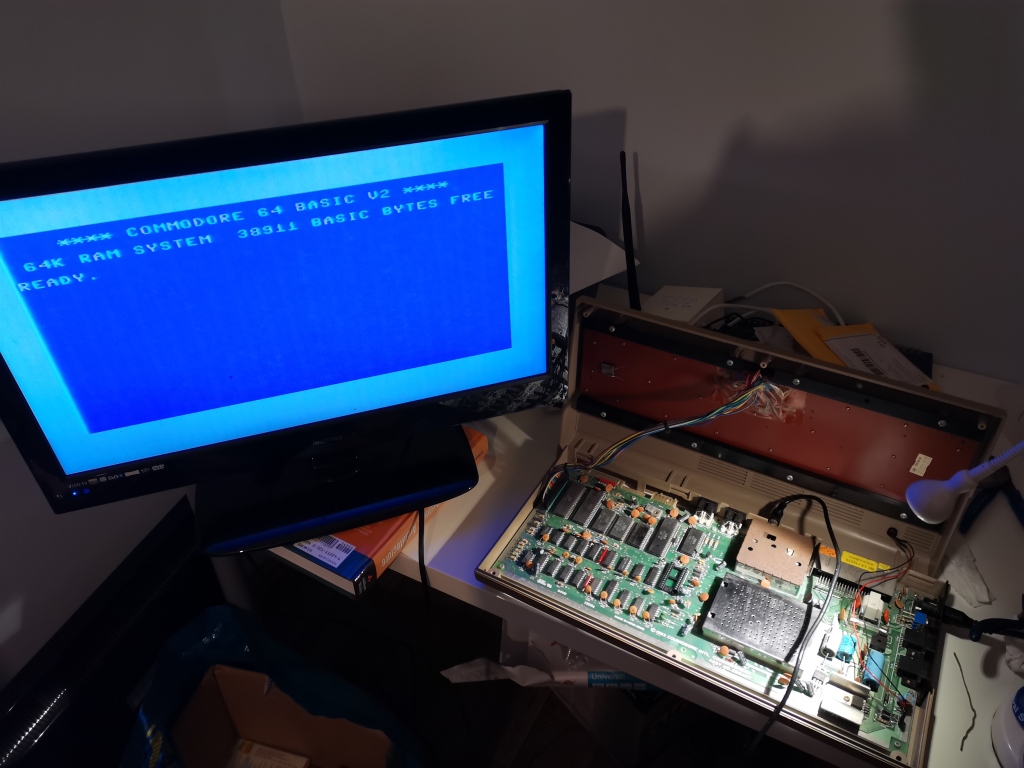
I started by checking that the power supply was still working correctly – I didn’t want to fry the computer before starting. Luckily it was outputting the correct DC and AC voltages. Next I opened up the computer and cleared out all of the dust with cotton buds and some isopropyl alcohol. The next step was to connect a TV to the RF output and power it up!

Although the power LED came on, nothing seemed to happen. At first I thought the TV might be tuned to the incorrect channel or frequency, but the fact it changed from ‘NO SIGNAL’ to pure black whenever the computer turned on disproved this.

After reading online I found that there were a large number of things that could cause a black screen, but one of them was a failed SID (Sound Interface Device) chip. Since this was the only socketed chip on the motherboard I decided to try removing it first since it was the easiest to take out. Luckily this was the chip that had failed!

The commodore now booted up and showed the BASIC startup screen. I went to type in “PRINT” but discovered that less than half of the keys worked, making the computer unusable. After doing some more reading online I decided to clean the PCB of the keyboard where the contacts press down with isopropyl alcohol. However, after doing this I discovered that fewer keys worked than before!

My next move was to build a simple tester as detailed in this video. The keyboard is set up as a matrix, with each key connecting a row and a column when pressed. The computer cycles through setting a voltage on each row and finding which columns then also have a voltage on them to discover which keys are pressed. The tester works by shorting together all of the pins on the connector corresponding to columns and all of the pins corresponding to rows. The two chunks are then connected to an ohmmeter, which should read 0 whenever any key is pressed. This was much easier than having to connect the keyboard back to the motherboard every time I wanted to test it.

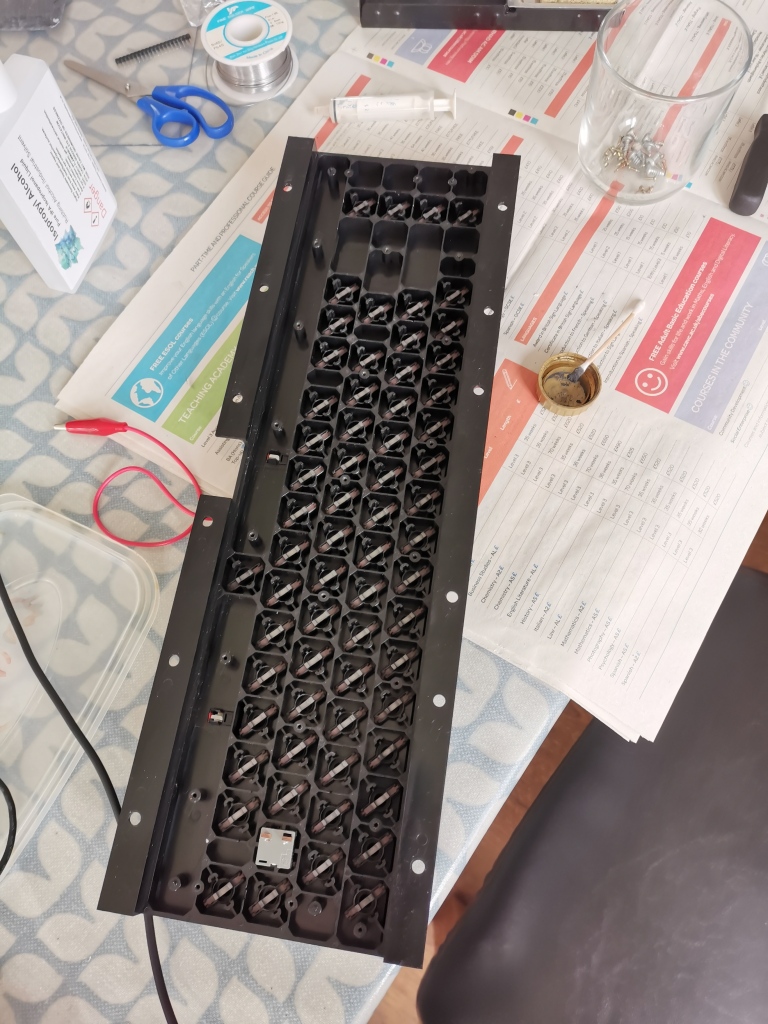
I found that all of the working keys gave a resistance of less than 10kΩ when pressed, but the broken ones gave a higher reading. To solve this I tried adding more graphite to the contacts on the keys by making powdered graphite from a pencil, mixing it with isopropyl alcohol then spreading the resulting sludge on the contacts with a cotton bud as shown in the video. I also cleaned the PCB more thoroughly, wiping the isopropyl alcohol away with paper towels instead of letting it evaporate and leave any residue. Once I did this I found that all of the keys worked!

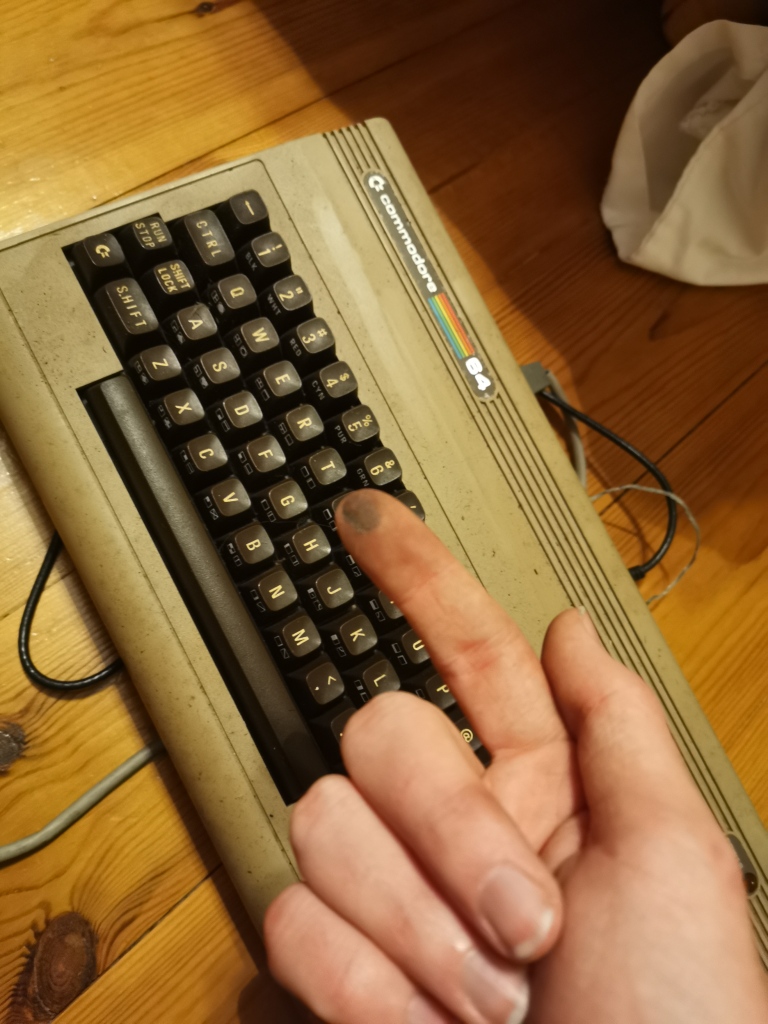
The keyboard contacts with fresh graphite added, changing them from black to light grey.

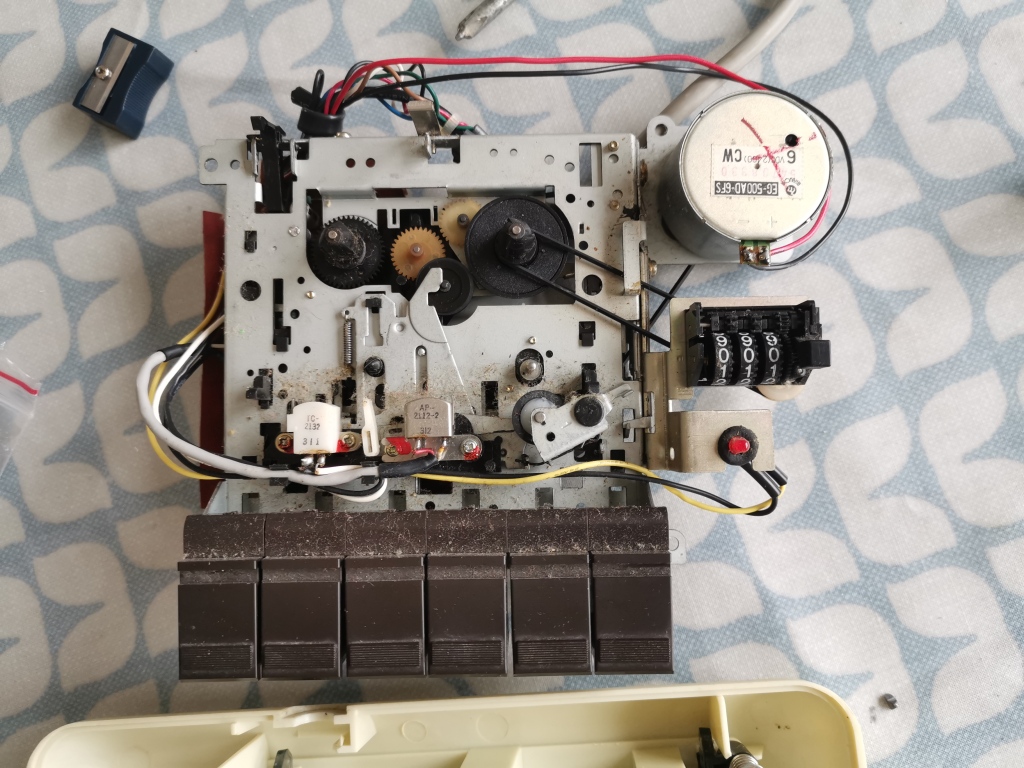
Now I could write and run BASIC programs but I couldn’t save or load them. My aunt also had a C2N datasette. I cleaned all of the dust and mess from inside with isopropyl alcohol and cotton buds and connected it to the computer. The motor seemed to be working when I pressed play.

The dusty insides of the datasette

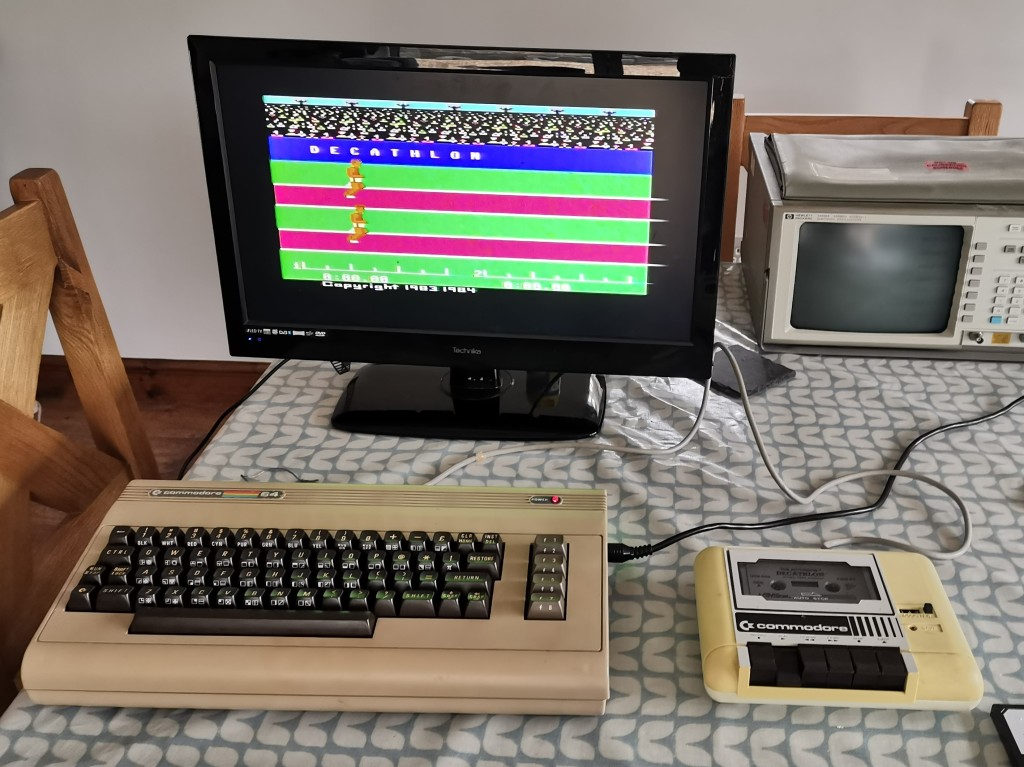
I tried loading a casette of Decathalon. As I typed “LOAD” I wasn’t very optimistic because I expected the datasette to need more work than just cleaning and the tape had been sitting in the open for over 30 years, but to my surprise the computer found Decathlon and started to load it. A while later, the start screen of the game appeared! Unfortunately I can’t play it without a joystick.

Decathlon’s start screen

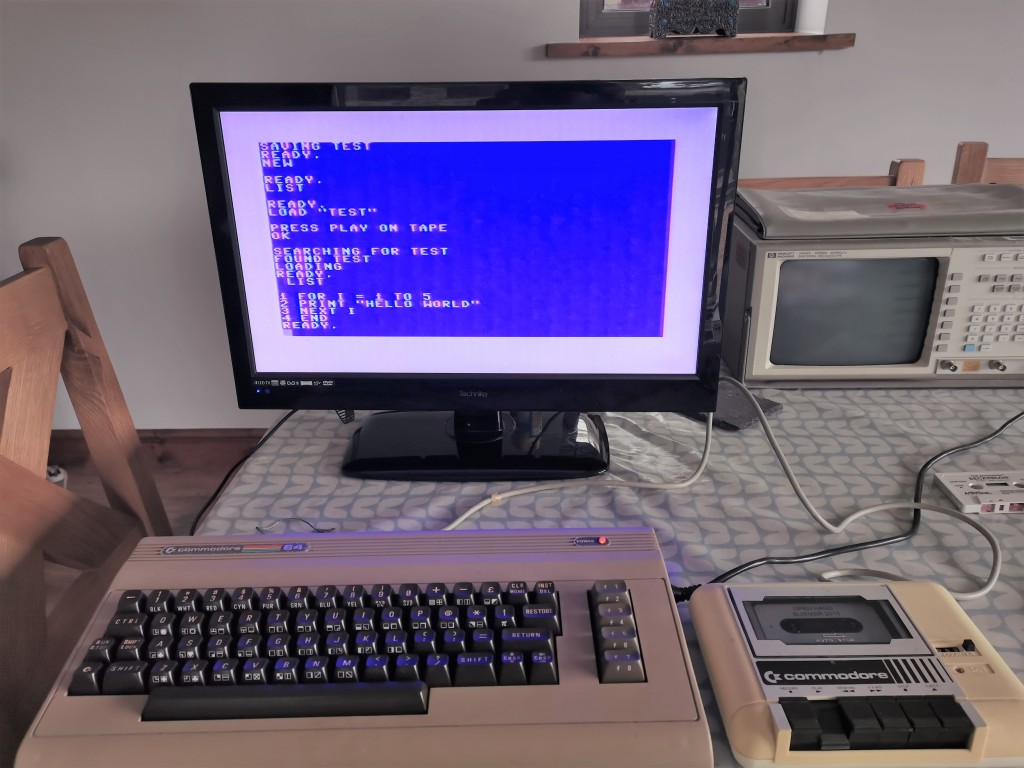
I also tried saving and loading a test program with another casette and again it worked perfectly!

Saving and loading a program

I’m very pleased that I’ve managed to get the ~40 year old computer back to life. Next I’d like to replace the SID chip so that it can output sound again, but the original chip has been out of production for a long time and is highly sought after for synthesisers. However, there are modern microcontroller-based replacements which are likely to be a better option.

Creating an online bird identification quiz

Over the past couple of days I’ve been working on an online quiz that tests your ability to recognise birds by showing pictures or playing recordings. I created it with TypeScript and it uses the iNaturalist API to get the images and sound files.

You can try it out on GitHub pages here, and the code is all here.

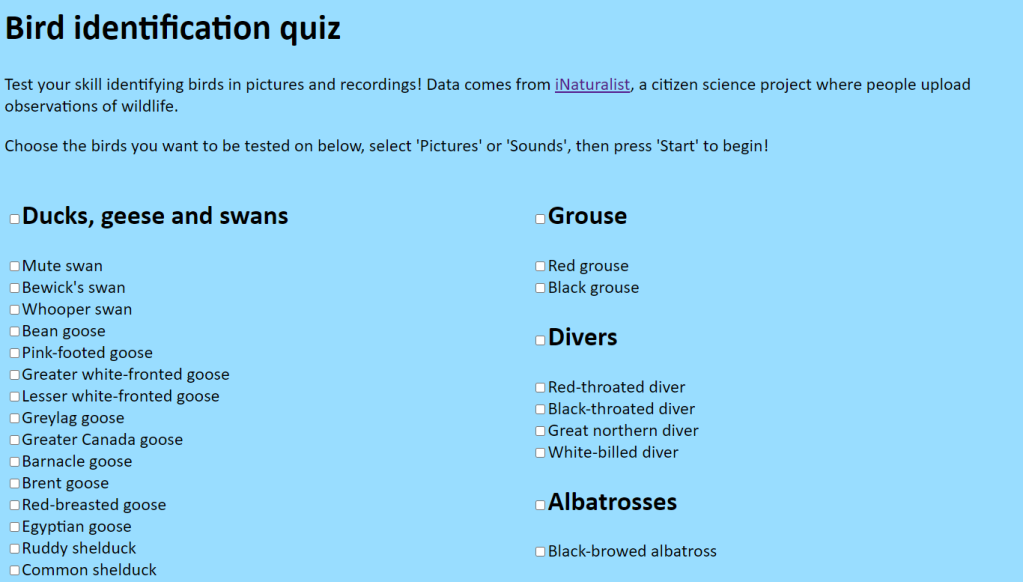
At the start the user is presented with a list of birds, and they select which species they want to be tested on:

I created a Python script to scrape the Wikipedia page “List of birds of Wales” and output the species in JSON format. The TypeScript program then iterates through each bird and adds checkbox and label elements to the page for each one. I’m especially pleased with the ‘select all’ checkboxes next to each heading that I managed to get working!

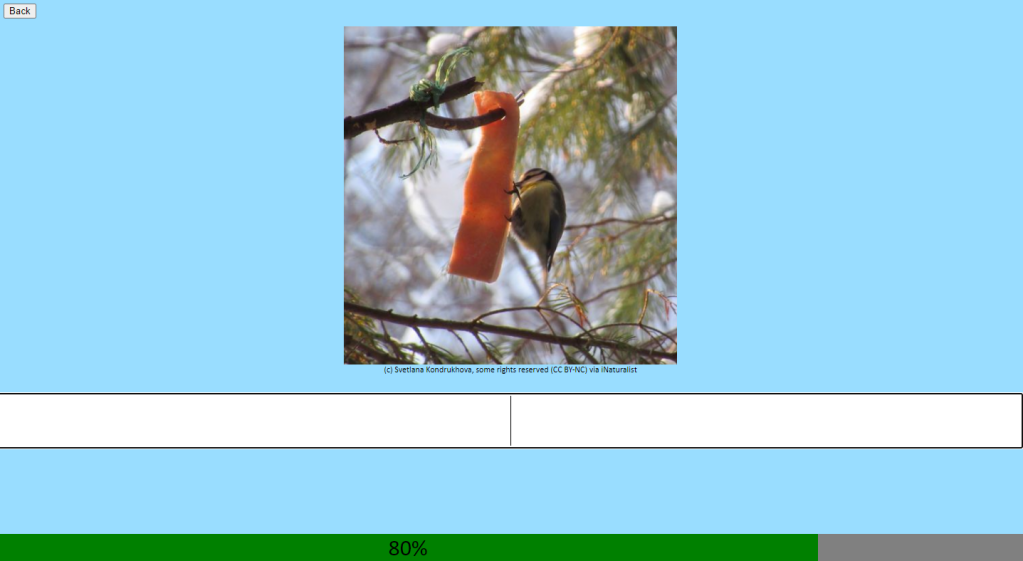
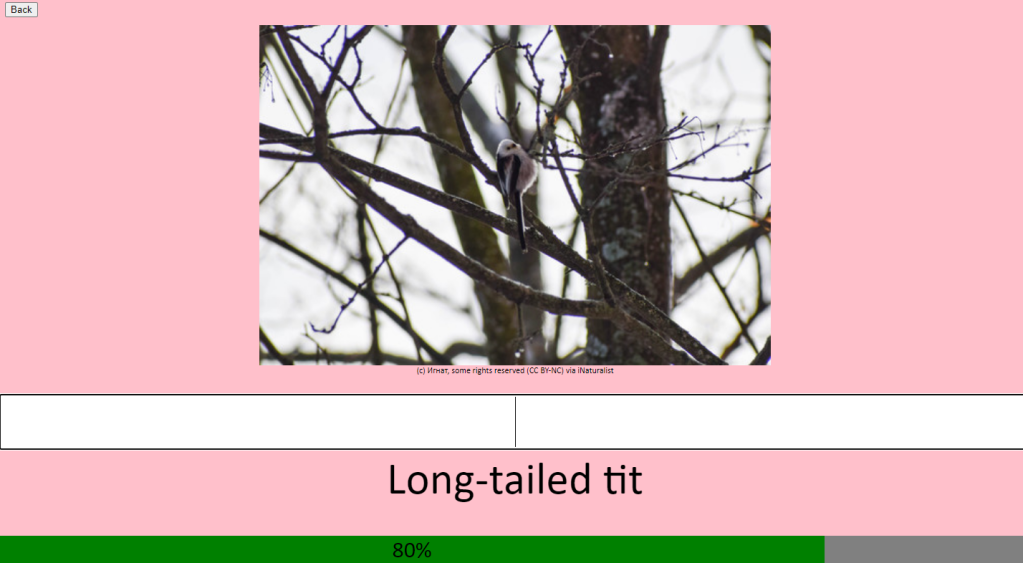
Once the user has chosen their species, the format (pictures or sound) and pressed ‘start’ the quiz begins. It makes a request to the iNaturalist API to get the URL of images or sounds and then chooses a random one to display/play to the user:

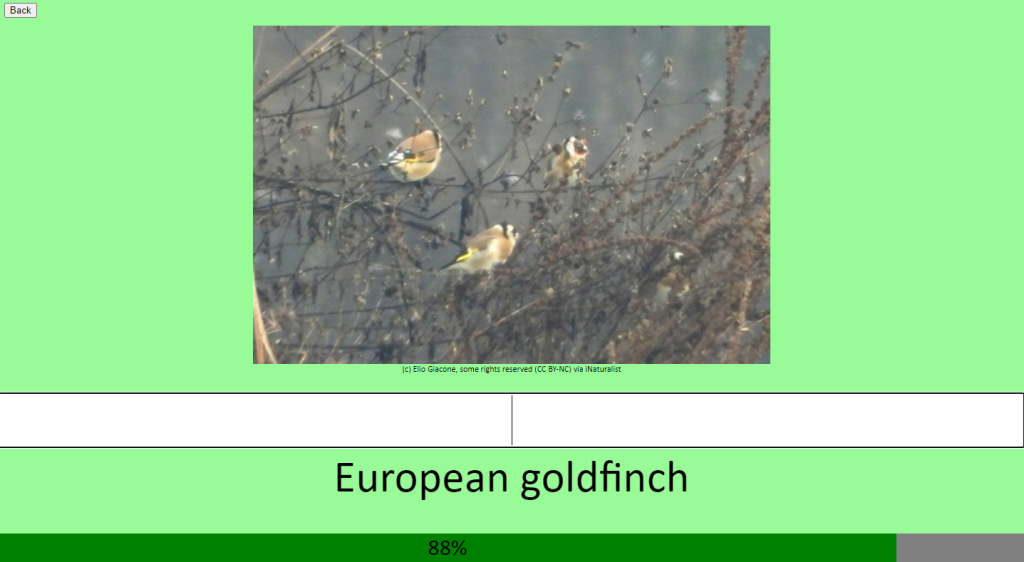
A score bar shows the user’s score so far. After they enter their answer, the screen changes colour and the correct answer is shown below.

The JSON species list includes alternative names, so for example both “european goldfinch” and “goldfinch” would be accepted as the same species.

Correct answer!
Wrong answer!

Creating the quiz has given me a chance to learn about the JavaScript async/await syntax and closures, and to practice web development. It’s also been fun!

Repairing an 80s micro cassette recorder

This holiday, between revising for the mock exams, I’ve found time to get a micro cassette recorder that used to belong to my great grandfather working.

I think it’s a model from the 80s, but I haven’t been able to find an exact date.

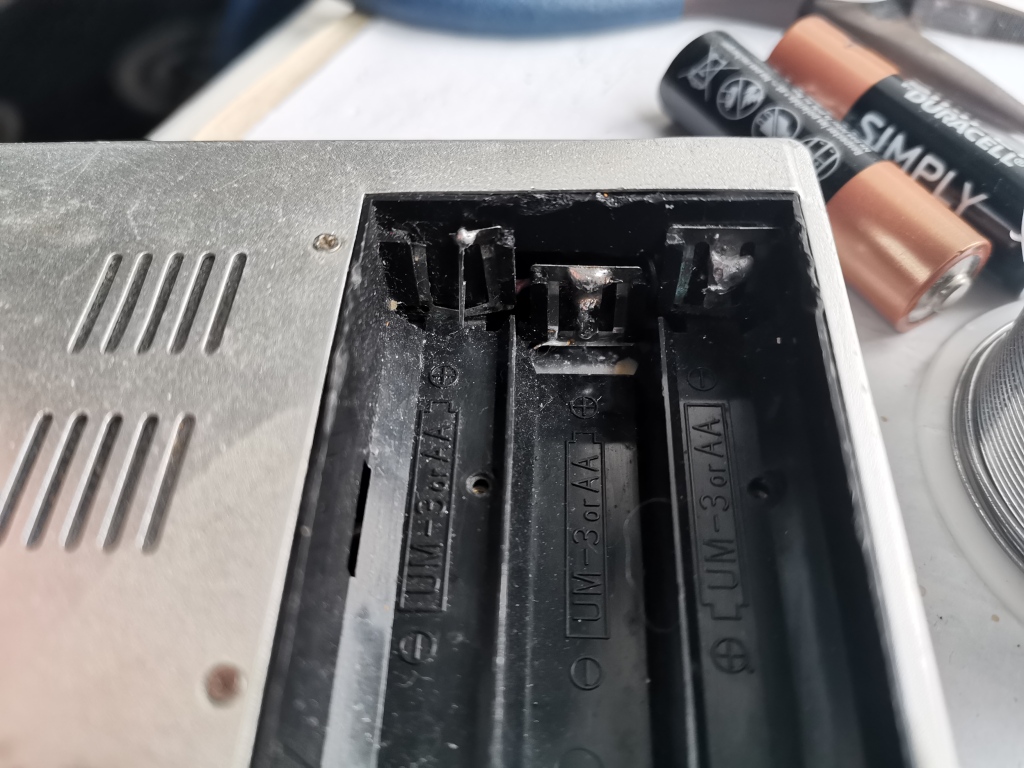
I was able to get it working by attaching 4.5v across the barrel jack connector, but it wouldn’t work with batteries inserted. It turned out that the cable connecting to the battery compartment’s negative side had broken, so I opened it up to solder it back on. One of the battery contacts was also missing, so I replaced it with a staple I soldered on.

The contact on the left has been replaced with a staple

After this the other contacts had too much corrosion on them to work reliably, so I coated them in a layer of fresh solder.

After making these changes it seems to work fairly well. The quality of the audio improved after I cleaned the tape head with isopropyl alcohol, but it still isn’t great – I suppose you can’t expect much from something that’s been gathering dust for 40 years!

It still seems to be able to record as well. Here’s a video of it playing a song after recording it:

Creating a multiplayer game with TypeScript, Java and WebSockets

Back at the end of 2020 I created a multiplayer game using the Phaser game engine. Players connect to a Java Tomcat server using WebSockets to communicate.

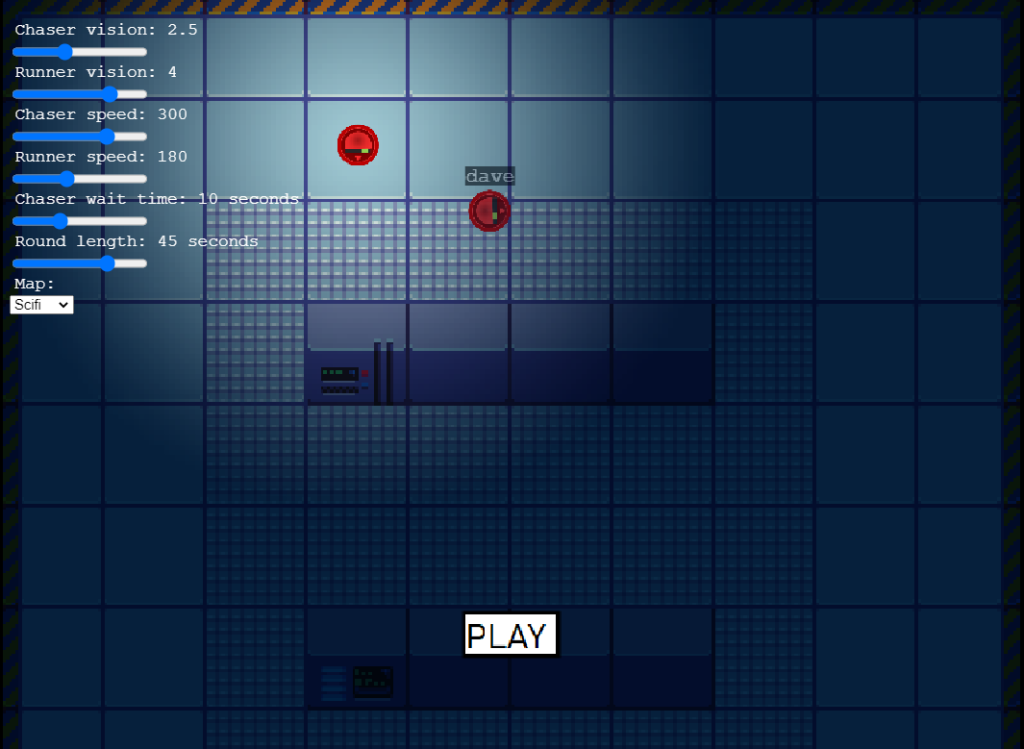
To start you have to join a lobby. The host (first person to join the lobby) can control parameters such as movement speed, vision radius and round length. In the game a random person is selected to be the chaser in each round. They have to try and catch other players as they run around the map. They get a point for every person they catch. The rounds repeat until each person in the lobby has been chaser once, at which point the person with most points wins.

The host can set various parameters and start the game when ready.

To create the game I created different Scene classes for the different parts of the game (the main menu, loading screen, area players wait for the host to start the game, the actual rounds and the scoreboard). This meant that it was much easier to extend the game by adding additional scenes as I went along, unlike the other game I created with Phaser where everything was in one scene.

Originally I created the server using Node.JS but I switched to using Java with Tomcat because I wanted to practice using Java as I was learning it for my Duke of Edinburgh skills section. I chose to use WebSockets instead of HTTP requests to simplify the system (there’s no need to open a new connection for every message) and to make it faster, as once the connection is established you don’t have to send as many headers with each piece of data.

My first attempt to implement the multiplayer was a big mess. I tried to create it as I went along, which made it overcomplicated and unreliable. I scrapped what I’d done and planned a new protocol for communicating between the clients and the server. They exchange JSON objects and each object has a type code that specifies what data the object contains and what the purpose of the message is. After I designed it properly the multiplayer was much more reliable and more extensible.

I also enjoyed creating the maps for the game. I used ‘Tiled’ to create tilemaps using tilesets from OpenGameArt, which was a new experience for me.

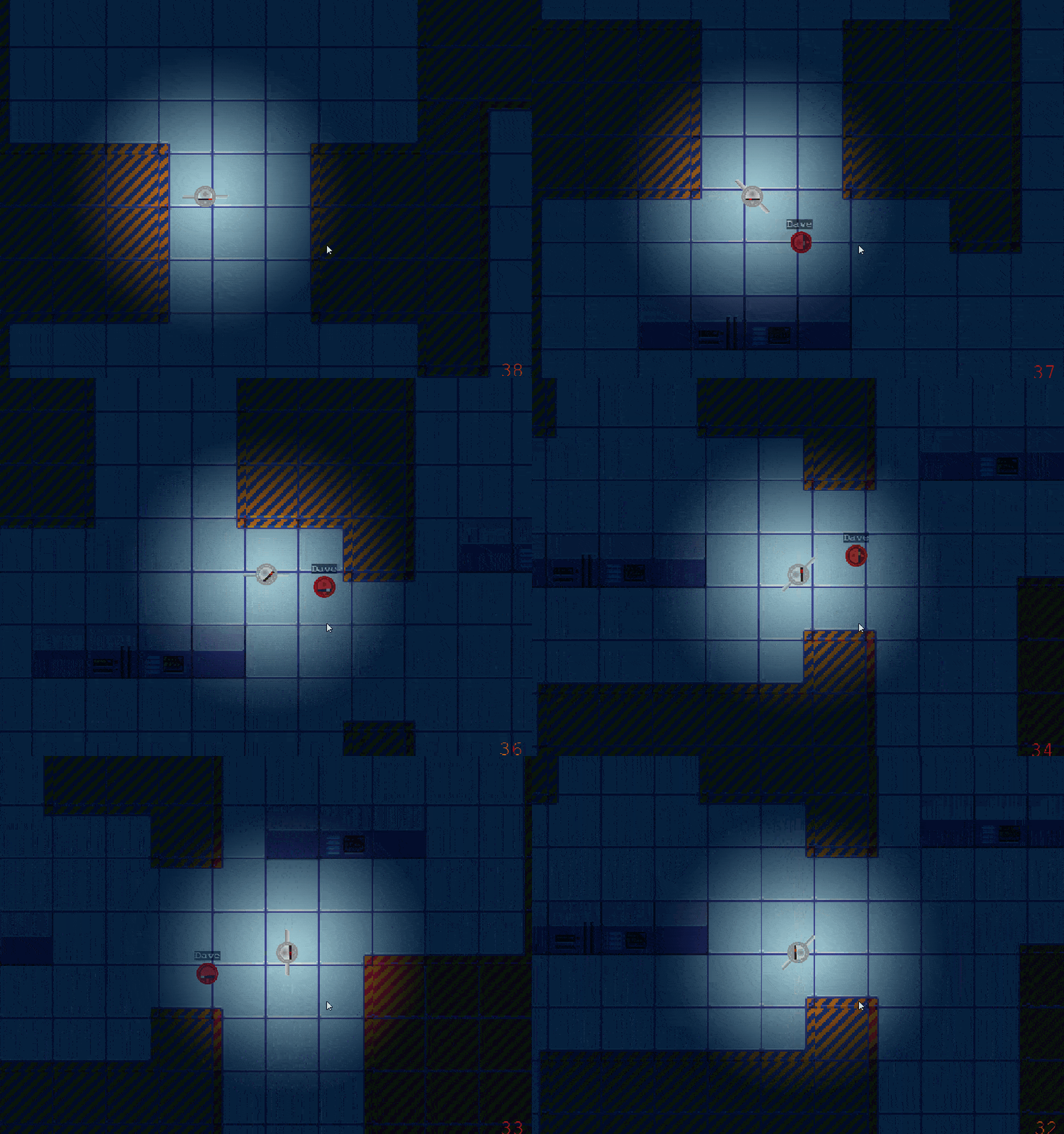
The circular robots must run away from the chaser robot with spinning blades.

To catch the chaser must press space. After being caught, the player becomes a ghost that isn’t visible to other players but can still look around the map and watch other players.

You can see the code for the game on GitHub here.

It was fun to create the game and it also taught me how important it is to plan complex things before trying to implement them. I’m hoping to improve the game with a better user interface and refactor the class structure to simplify it one day. I also want to improve the controls, such as setting it up to catch automatically when a player is less than a certain distance away, instead of having to press space to catch.

Upgrading the air quality monitor

When I originally built the air quality monitor for my school I used the Things Network, a public LoRaWAN radio network for low power devices to send data to the internet. This year a new version of the back end came out, called The Things Stack (aka V3). As a result, they are shutting down the V2 back end, which is what the monitor was using, at the end of the year.

The V2 back end was not fully compliant with the LoRaWAN specification. The specification requires that the network sends downlink messages to devices called MAC commands to configure details such as which channels they use. V2 didn’t bother with this, and relied on these details being hard coded into devices.

However, V3 now implements the full specification. This means that devices can receive configuration details from the network. This sounds good, but the original monitor didn’t support it. It used a library called TinyLoRa, which only supported transmitting data, not receiving it.

This was a problem, because after a downlink message is sent the device is expected to reply with an acknowledgement. Since the device wouldn’t receive the messages, it wouldn’t acknowledge them. This would have led to the network sending the same message repeatedly, believing there was a transmission error, which would have quickly burned through the fair access policy allowance of 10 downlinks a day.

To solve this, all that theoretically needed to be done was upgrade to LMIC, a LoRaWAN compliant library. However, the Arduino Pro Mini doesn’t have enough program storage space to store the much larger LMIC alongside the other libraries it needed. As a result, I had to upgrade to using an STM32 blue pill with 64kB of program memory, twice as much as the Pro Mini – this is one of the things I have been doing during the summer holidays.

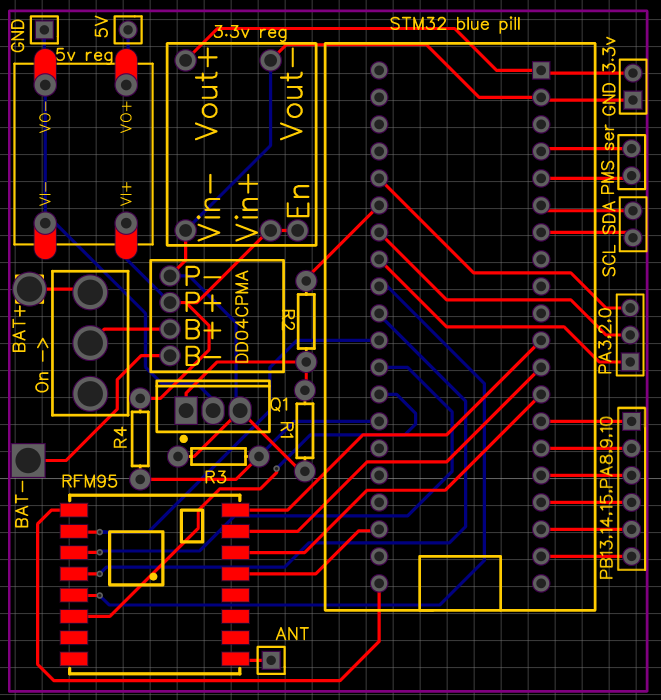
To simplify the hardware changes, I designed a PCB to slot into the 3D printed frame where the Pro Mini’s matrix board originally sat. It was my first attempt at PCB design.

I used EasyEDA and followed a Youtube tutorial. It was much more fun than soldering matrix boards and much easier than I expected.

Once the PCB was set up I created a new program in PlatformIO derived from the LMIC-Node example on GitHub.

I applied what I had learnt from the operation of the previous version to improve this version of the monitor. Here are some of the improvements I made:

  • I set up a voltage divider to measure the battery voltage instead of just measuring the Vcc voltage. This allowed me to make the monitor transmit less often when the battery is low, allowing the battery to last longer in periods of poor weather.
  • I stopped measuring methane and ammonia levels – the data from the old monitor showed that they were almost always zero, they weren’t used for anything, and they used up 8 bytes in each packet. Additionally, these parts of the Multichannel gas sensor took longest to heat up, which is why I had to leave the sensor turned on constantly on the old version. Removing them meant I could power off the sensor most of the time with a MOSFET and only power it on for a few minutes before taking a reading.
  • From analysing the data I found that the CCS811 calculated eCO2 by multiplying tVOC by a constant factor and adding a constant. I used Excel to find these constants, and then I could calculate eCO2 on the server side instead of transmitting it from the monitor, saving another two bytes.
  • After asking about the idea on the EEVBlog forum, I removed the battery protector which cut off the power when the voltage dropped too low and instead got the monitor to hibernate when the battery is lower than a threshold. This improved the efficiency of the monitor because no energy is used to power the protector.

After these changes the size of each packet decreased from 28 bytes to 18 bytes and the power consumption when sleeping reduced from around 67mA (due to having to leave the multichannel gas sensor on for the methane and ammonia preheating) to 0.38mA, which I’m very happy with. This should mean it can last significantly longer in poor weather.

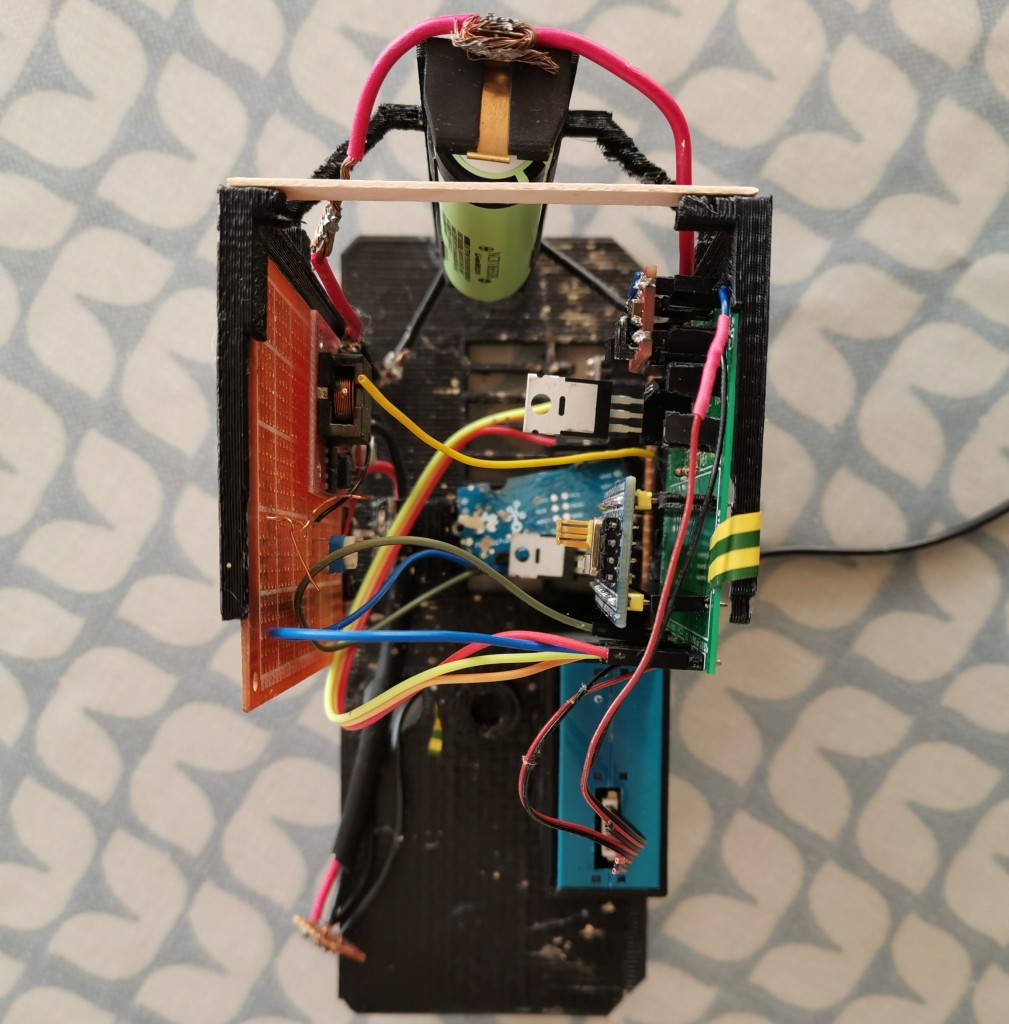
The fully assembled frame. On the left is the solar battery charger on a matrix board, on the right is the new PCB with the multichannel gas sensor visible below and the blue square at the bottom is the PMS5003 particulate matter sensor.

Another feature I’m pretty pleased with is that, since the monitor can receive downlinks, I set it up to trigger a software reset when it receives a single byte 0x9D, which could come in useful if it starts to malfunction. (I picked 0x9D because this was one of the “Halt and Catch Fire” opcodes of the 1974 MC6800 microprocessor)

I’m happy with the result of the upgrades and I’ve also learned a lot about the STM32 microcontroller and about PCB design.

Cyberfirst Advanced

This year I was able to get onto the Cyberfirst Advanced residential course. It was held in Warwick after the Cardiff event was cancelled. I met some interesting people and learned some new skills.

The course was divided between lecture time, where the two educators taught us content, and lab time, where we got to try things out in virtual machines. In the evenings there were activities such as quizzes and board games.

Although I already knew quite a bit of the theory from Cyberstart Essentials (apparently Cyberstart and Cyberfirst are completely separate programs run by different parts of government) I hadn’t used many of the tools we used such as Sqlmap for automatic SQL injection and OpenVAS for automated vulnerability scanning. I also learned some new concepts such as file carving and alternate data streams on NTFS.

The first day and a half covered digital forensics before we moved on to encryption. The third day focused on open source intelligence and the fourth on pentesting. On the final day was a capture the flag challenge which I really enjoyed.

It was great to go on a residential course because it was an opportunity to meet like-minded people with similar interests to mine. One person I met was also involved with air quality monitoring and ESP32 projects. Also, the food was free.

Now that the course is over I’m going to use the skills I’ve learned and the tools I’ve used to try and attack the server I created for the air quality system, to see if I can find any vulnerabilities and hence improve its security. I’m also planning on trying out the Hack the Box online challenges.

Creating another TTN Mapper node with a Heltec LoRa32 v2

For my Gold DofE practice expedition I used the school’s Things Uno board to make a Things Network node that transmits its GPS coordinates. These GPS coordinates can then be received by gateways, and from there they are used to map the coverage of the Things Network, a free-to-use radio network designed for low power Internet of Things devices.

However, the Things Uno has a built-in antenna and no external antenna connector, so the signals it transmits are quite weak. Thus, for my qualifying expedition I wanted to build another node with an external antenna so that there was a better chance of the packets being received.

I had a Heltec Wifi LoRa32 board that was originally intended to be a single channel gateway. However, I’ve been borrowing one of the school’s proper gateways for my own purposes, so the board wasn’t being used. I decided to repurpose it as the new TTN Mapper node. It also has a display which is useful as it allows me to check whether it’s actually working or not.

I took the NEO-6M GPS module from the old node and wired it to the LoRa32 on some matrix board. I also added in a power switch and three switches to configure the device.

The first switch controls whether the node transmits its GPS coordinates or just an empty packet. The empty packet is useful when you’re using the TTN Mapper app to obtain GPS coordinates from a phone instead of from the device. The other two switches control how often it transmits. Starting with a base value of 10, the first switch multiplies it by 1 or 2, and the second by 1 or 4. Therefore, by toggling the switches it is possible to make it transmit every 10 (10*1*1), 20 (10*2*1), 40 (10*1*4) or 80 (10*2*4) seconds.

Although I was able to reuse the code for obtaining data from the GPS module, encoding it in a packet and decoding the packet on the receiving side, I had to redo the rest of it because the board uses a different radio chip to the Things Uno, which meant I had to use the LMIC library. I created the program in PlatformIO in a mad rush on the nights between the CanSat launches and the expedition.

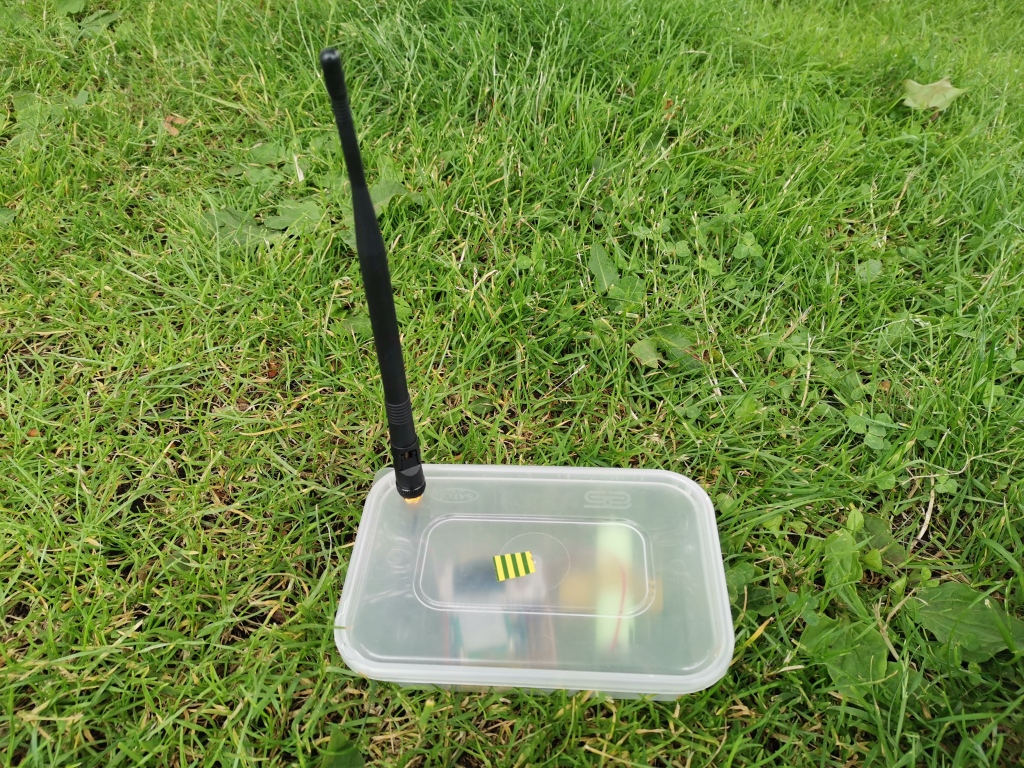
Miraculously I managed to get it all working in time. However, I didn’t have time to make a proper box so it ended up in a Chinese takeaway box again.

The mapper out in the wild

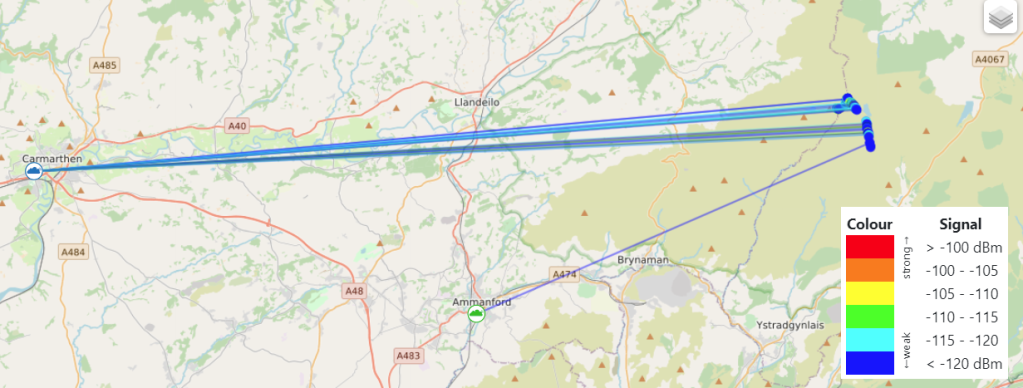
On the first day of the expedition I was using a poor quality antenna that came with the LoRa32 module. I replaced the antenna in the evening but broke the power cable, which meant there was no mapping on the second day. However, after soldering the cable back on in the evening, the mapper’s transmissions were picked up on the third day:

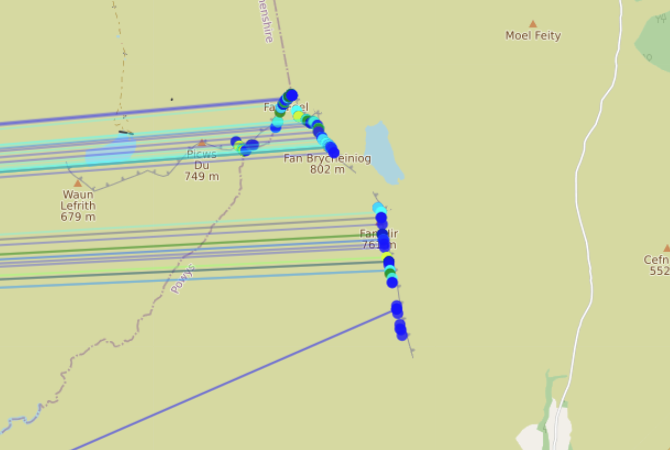
The gateway that received signals was around 42km away
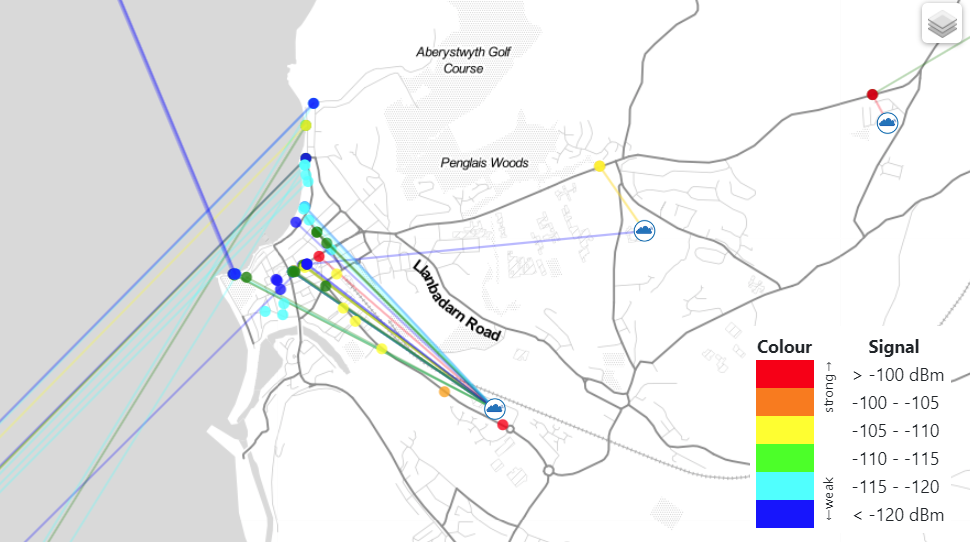
The points from which the GPS coordinate transmissions were received

Then on the fourth day it was very wet so I didn’t bring the mapper.

The OLED display of the device shows the current time according to GPS, the accuracy of the location fix and the satellite count. At some points the node was in range of 12 satellites!

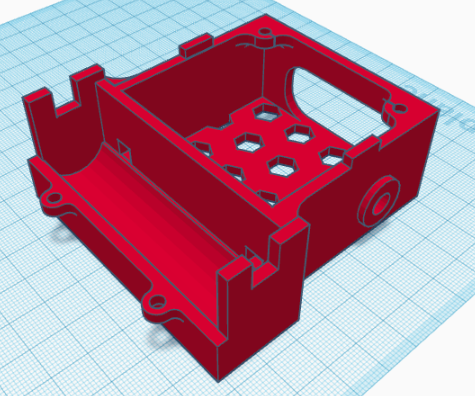
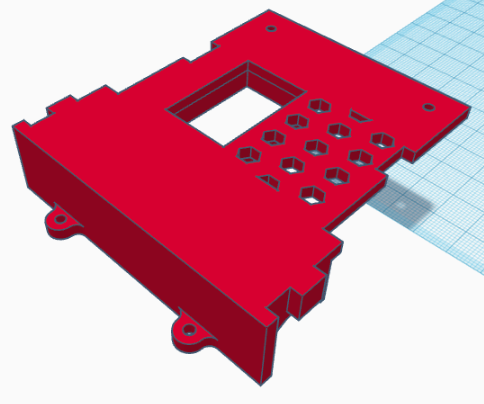
After the expedition I wanted to upgrade the node’s box because apparently it looked a bit like a bomb and it wasn’t very compact. I designed an enclosure using TinkerCAD and 3D printed it.

The box
The lid

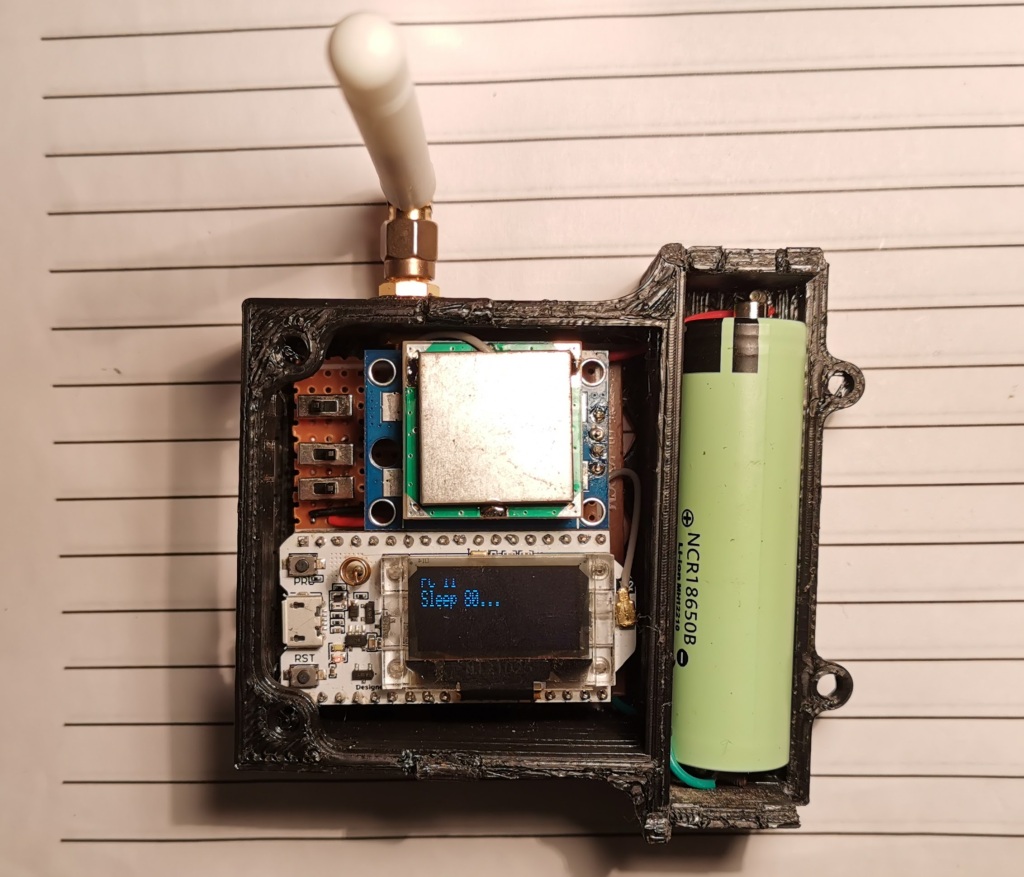
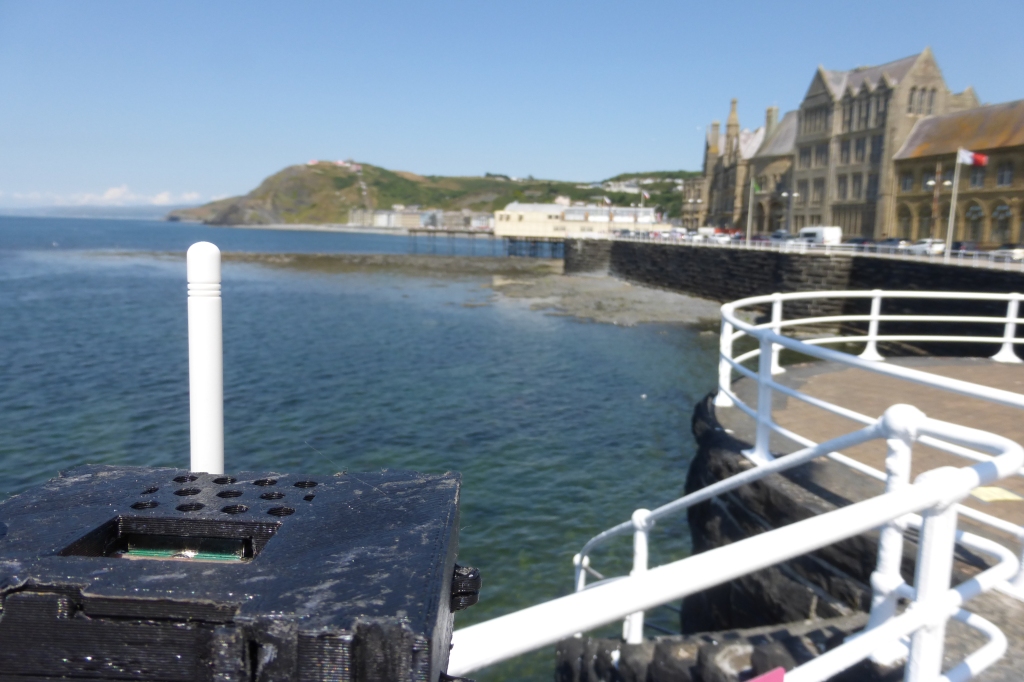
The 18650 battery goes in the curved area, the hole in the side is for the SMA connector and the big hole in the back is for access to the switches. I also added hexagonal holes in the bottom and the top lid to let heat out, and a hole in the lid so that you can see the display.

The finished product without the lid. The power switch is hidden under the overhang of the LoRa32.

To test it out I took it with me when we went to Aberystwyth.

TTN Mapper by the sea

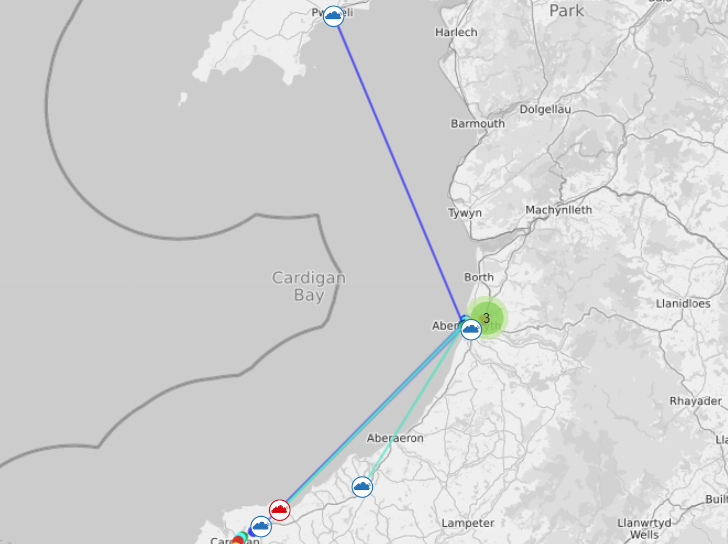
Two of the packets were received by a gateway in Pwllheli, 56km away!

I’ve enjoyed upgrading my TTN Mapper node and I’m going to be using it in future when I travel around. It’s also been useful because it’s proved that LMIC can work with low power sleep, and that’s something I have to do to upgrade the air quality monitor.

CanSat competition

Over the past seven or so months I have been working in a team of four taking part in the CanSat competition. The goal of the competition is to build a simulation of a satellite within the volume of a soft drinks can. The device is then launched in a small rocket and descends with a parachute.

The primary mission is set by the organisers, and it was to measure temperature and pressure as the CanSat falls. We chose to measure particulate matter and ozone levels as our secondary mission. This year, as it was uncertain whether we would be able to attend the launch, they changed the requirements so that data had to be written to an SD card rather than transmitted over radio.

Originally I was the system architect responsible for designing the electronics and the layout of the system. However, by the end I was responsible for designing it, building it as well as writing the software to run on the Arduino. Another member was responsible for designing and constructing the parachute, another for the data analysis and another for PR and outreach. Originally a different team member was meant to build the electronics and we were meant to work together on the physical part, but the lockdowns combined with the fact that I’m the only one that owns a soldering iron meant I also took responsibility for this.

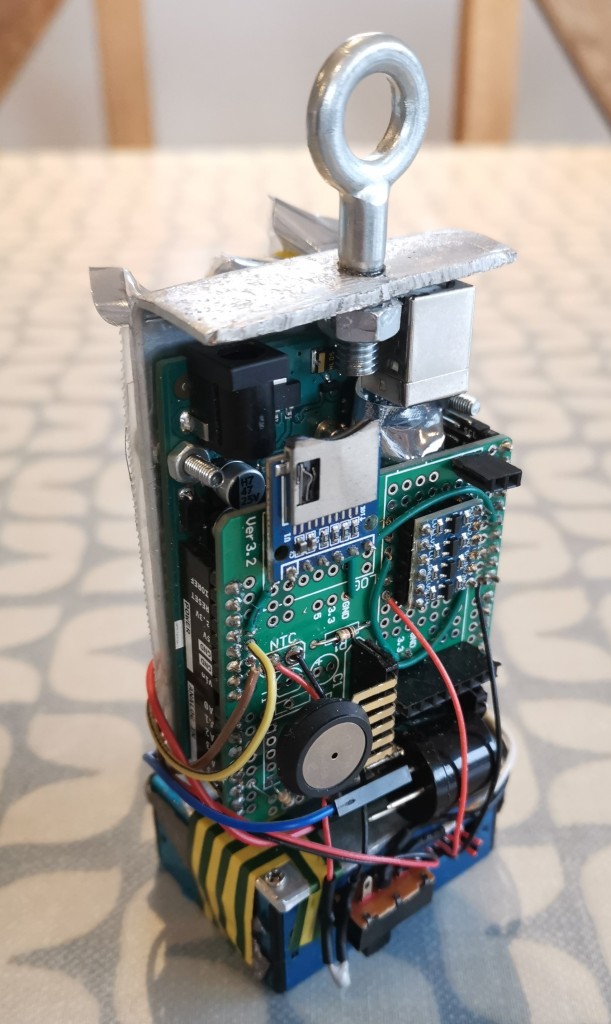
The insides of the CanSat
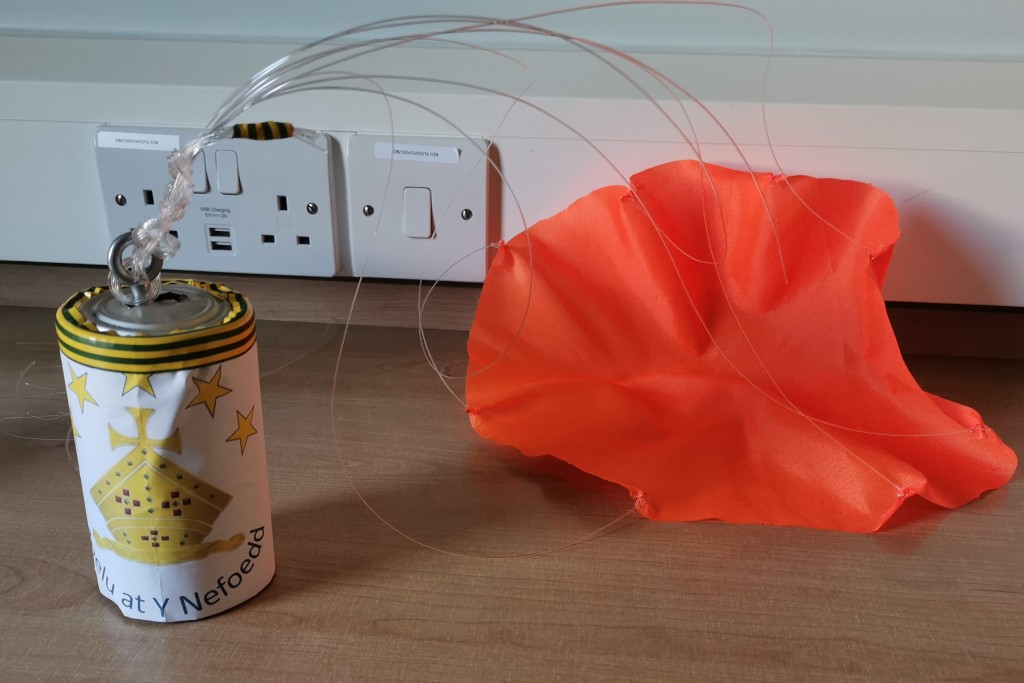
The CanSat in its aluminium enclosure complete with paper branding and the parachute

It’s been a tough project, working in the garage on cold, dark winter nights after online school, but I’m proud we eventually managed to get a working CanSat launched and recovered data for analysis.

A challenging part was the physical construction. Since we weren’t in school, I had to improvise using materials and tools I could find at home. I ended up using a sheet of aluminium that had come with the CanSat kit as the support structure, bending it into shape with a hammer and drilling holes in it for screws. For the enclosure I used two pea tins cut in half with scissors so that they could interlock. It took a lot of trial of error to get it all within the size and weight limits.

The part I enjoyed most was launching the CanSat at Elvington Airfield. It was fun to see the rockets launch and see what other teams had made. Only two of us went because the other two didn’t want to miss school – it was quite threatening to see big teams of 11 students crowded around tables making last-minute changes while we were two people standing around waiting for our sensors to warm up.

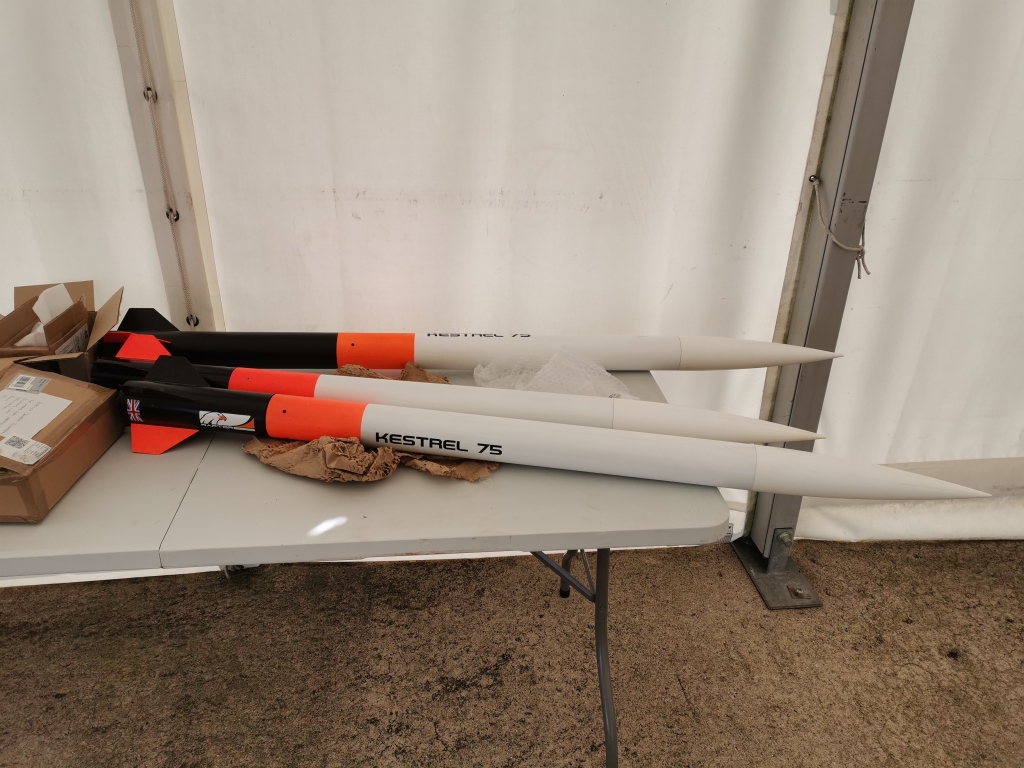
Rockets
The CanSat being launched

Taking part in the competition has taught me more about air quality sensors and physical construction.

For a variety of reasons, I ended up acting as the de facto project manager, keeping an eye on people’s progress, assigning people sections of the reports to write and chasing them up on it, and interfacing with teachers and organisers. As such I’ve learned about project management, including the importance of having a central person to delegate tasks and set hard deadlines. Initially we didn’t have this and nothing got done.

I’ve also been forced to adopt better time management by the sheer volume of work I’ve had recently. In June I had the CanSat launches, we had to write a report and record a presentation about it, there were two gold Duke of Edinburgh expeditions, I had three live webinars and online modules for the Lessons from Auschwitz Online course, a week of end of year exams and all of the revision associated which had already been going on for weeks, and I had to write an application for a STEM ambassador role in the school. While this was all going on I was also trying to do personal projects such as my two TTN Mapper nodes in time for the expeditions.

To manage all of my tasks I’ve used a Kanban board in Trello. It’s helped me to keep track of everything that needs to be done and the deadlines associated with them.

Design a site like this with WordPress.com
Get started